.svg)

Google Ads Target CPA & Target ROAS Bidding Change: What to Know
Google's Target CPA & Target ROAS update means budget-limited campaigns now drift back toward your target. Here's what changed—and what to set next.

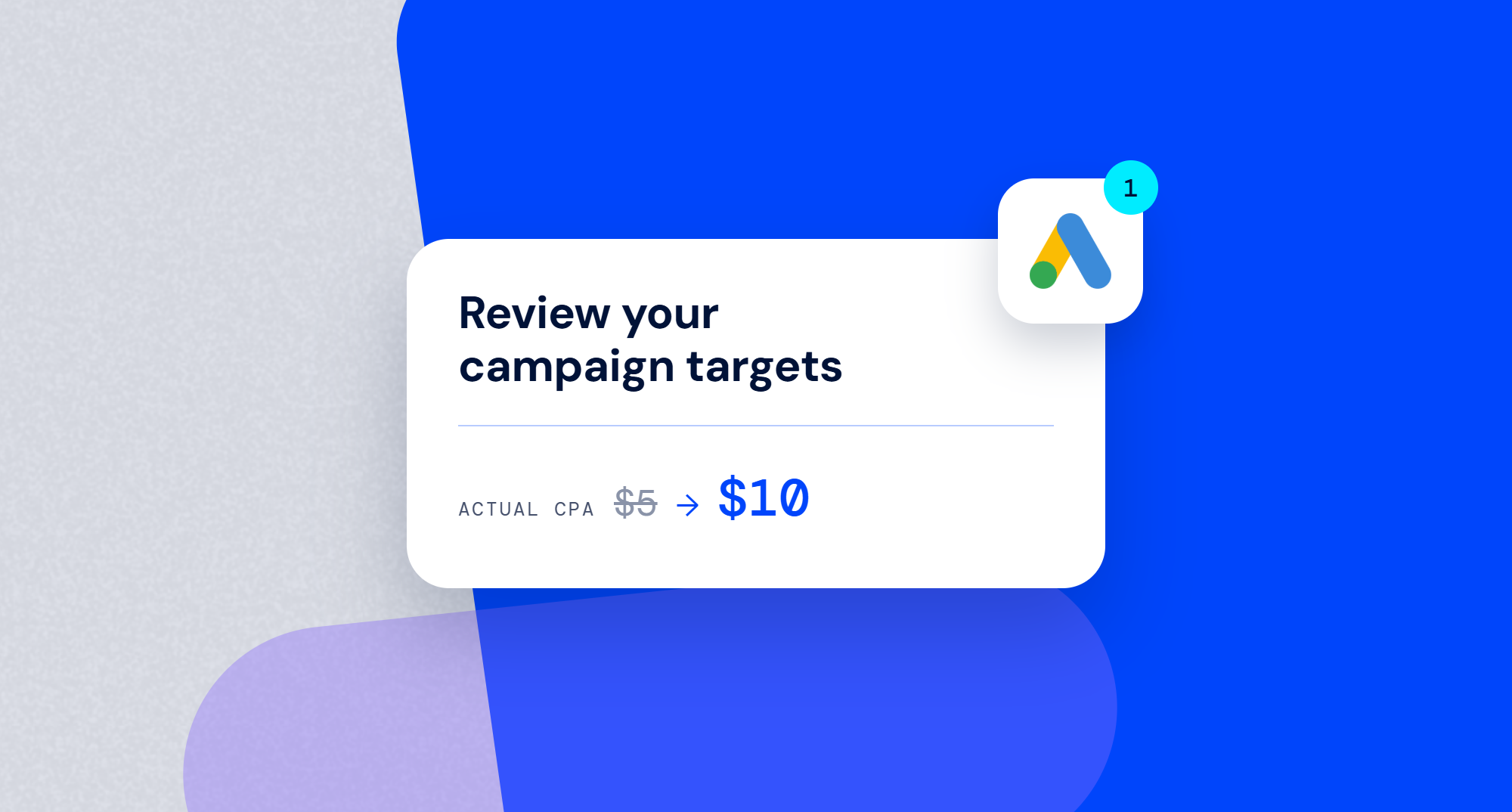
If you've been running Target CPA or Target ROAS campaigns, there's a decent chance one of them has been quietly beating its own goal. You set a Target CPA of $10. You check your reports and the real number is $5. You call it a good week and move on to the next task.
That gap existed because of how Google's bidding system worked once a campaign hit its budget cap until August 17, 2026.
What actually changed
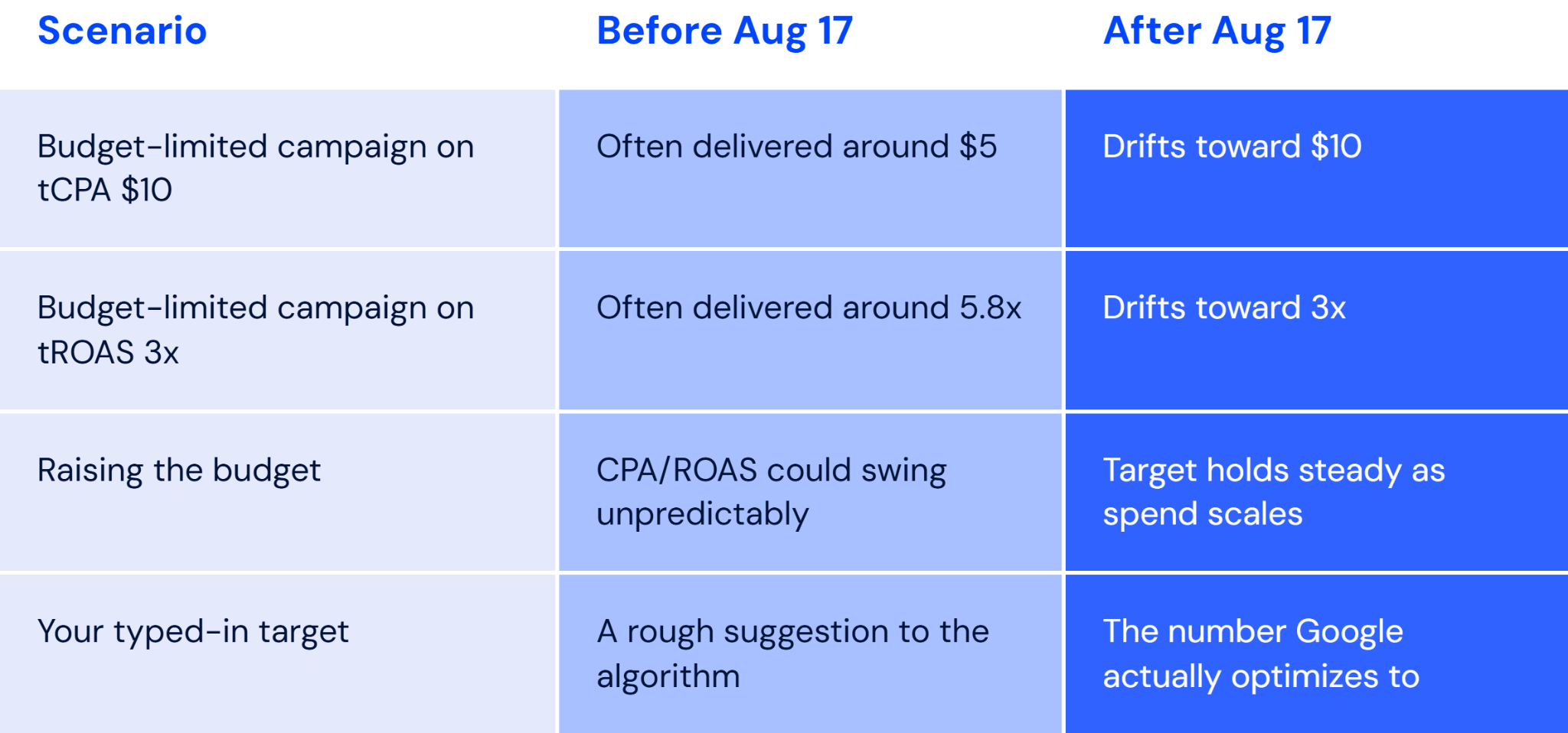
Until now, when a campaign hit "Limited by budget" status while running Target CPA or Target ROAS, Google's system would often chase the best conversions it could find within that budget, not the target you typed in. The result was a lot of campaigns quietly beating their goals. A $10 target CPA landing at $5. A 3x target ROAS landing at 5.8x. Nobody complained, because the number on the report looked great.
The problem was predictability. Raise the budget on one of these campaigns and the actual CPA or ROAS could swing around in ways that had nothing to do with the target you'd set. The target was more of a suggestion than an instruction.
Per Google's own help documentation, budget-limited campaigns on Target CPA, Target ROAS, or Target CPC (for Demand Gen) now "perform more consistently toward your bid target, including when you make budget adjustments."
Google's own example is blunt about it: a $10 target CPA campaign currently landing at $5 will now drift back toward $10.
Affected campaigns
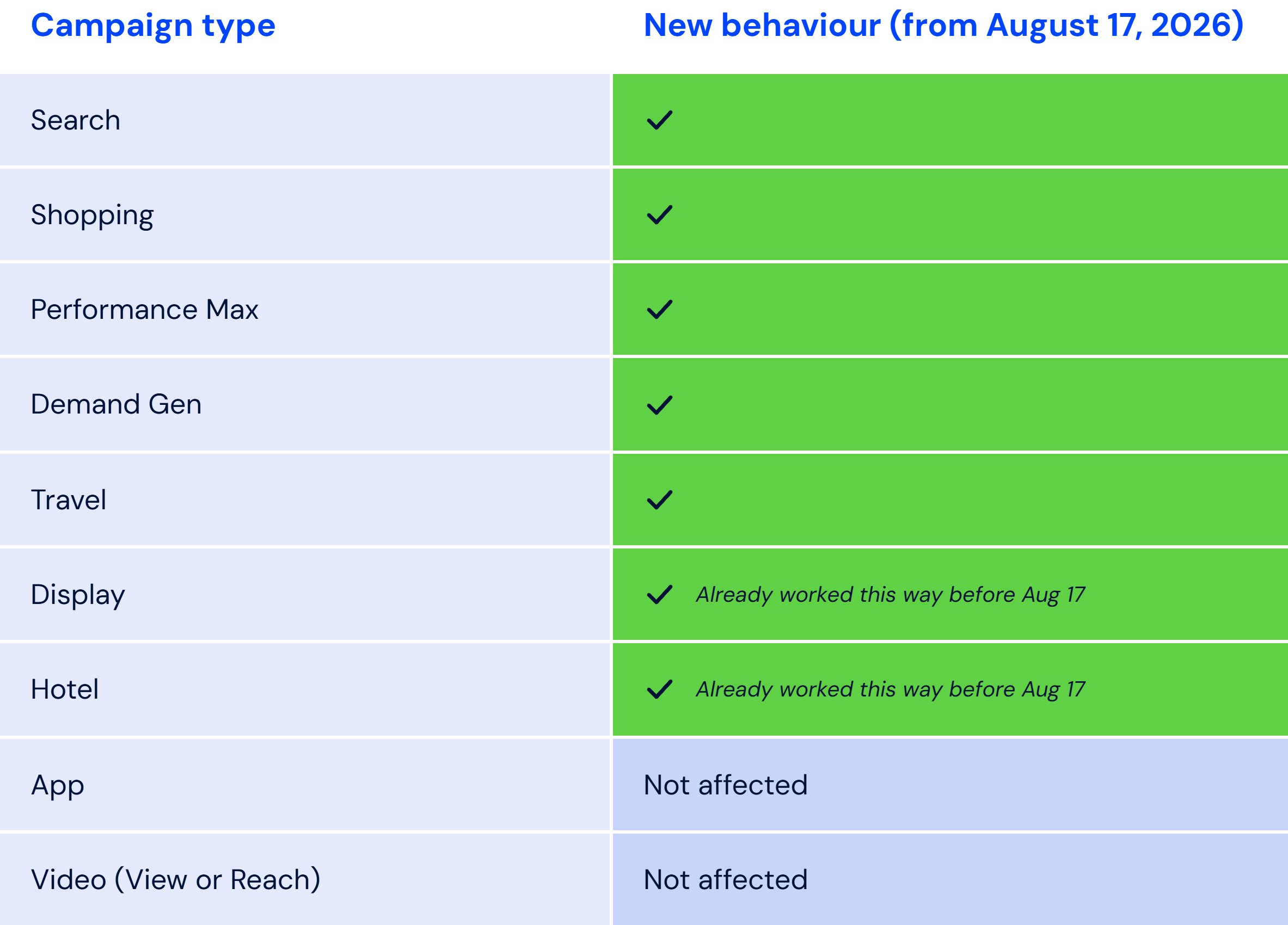
Google finished rolling this out globally on August 17, 2026, so the new behavior is live across every affected account.
Recap: Google's tCPA/tROAS update summarized
Why this matters to you
If a limited-by-budget campaign of yours has been quietly outperforming its target, that free lunch is over. Once the new behavior kicks in, you should expect actual CPA to climb toward your stated target, or actual ROAS to settle back down toward it.
The campaigns worth checking first are the ones optimizing by target ROAS or target CPA that are limited by budget. Once you’ve checked those you can review the rest, but the ones limited by budget are the ones that are most likely to be more impacted.
What Google is (and isn't) doing about it
Google isn't changing any of your targets or budgets for you. What it did do is ship a Bid Target Adjustment Tool, live in accounts since July 6, that flags the campaigns likely to be affected and suggests a target based on recent performance. You'll find it through a notification banner at the top of your account dashboard, headlined "Review your campaign targets."
The tool gives you three choices for each flagged campaign:
- Accept Google's suggested target
- Set your own
- Leave it as is and accept the drift.
Keep in mind, bidding systems need time to adjust, and reacting to the first few days of noisy data usually leads to overcorrecting.
The harder question underneath this
Here's the part that's easy to miss in all the "update your targets" advice. Knowing that your CPA is about to rise doesn't tell you what to actually set the target to. A target isn't a spend control you can calculate directly from your margins. It's a bidding instruction, and the platform's auction behavior sits between the number you type in and the results you get. Two campaigns with identical margins can need very different targets depending on their audience, competition, and conversion volume.
With Mixilo, our paid media optimization platform, we figure out the spend level that gets each campaign the most net revenue or conversions, depending on your optimization objective. Then we turn that number into the Target CPA or Target ROAS you should set on the platform.
Frequently asked questions about target-based bidding on Google Ads
- Does this affect all my campaigns? Only campaigns marked "Limited by budget" that run Target CPA, Target ROAS, or (for Demand Gen) Target CPC. Campaigns with plenty of budget headroom, or running Maximize Conversions, Manual CPC, App campaigns, or video view campaigns, aren't affected.
- What should I actually do about this? The change already applies automatically, so there's nothing to turn on. But it's worth taking three steps before you're surprised by the results. First, open the Bid Target Adjustment Tool and see which of your campaigns are flagged. Second, for each flagged campaign, check how far your recent actual CPA or ROAS has drifted from the stated target, that gap is roughly what you should expect to lose if you leave it alone. Third, decide on purpose: either update the target to match what you actually want to pay, or accept the new number and adjust your budget or bidding strategy around it. Doing nothing is still a decision, it just means accepting the drift.
- What if I don't know what target to set? That's the actual hard part. Your historical "it's been landing at $5" isn't a target, it's a symptom of the old system. The right target depends on your margins, your conversion volume, and how your specific campaign responds to spend, which is exactly the kind of thing worth calculating rather than guessing. If you're already using Mixilo, this is what our target recommendation feature is built for, it calculates the tCPA or tROAS to set based on your campaign's actual performance curve, so you're not stuck eyeballing it.
Latest Insights
Google Ads Target CPA & Target ROAS Bidding Change: What to Know
Mixilo Now Calculates Your Target, Not Just Your Optimal Spend
Why All Our Pilots Are A/B Experiments
